
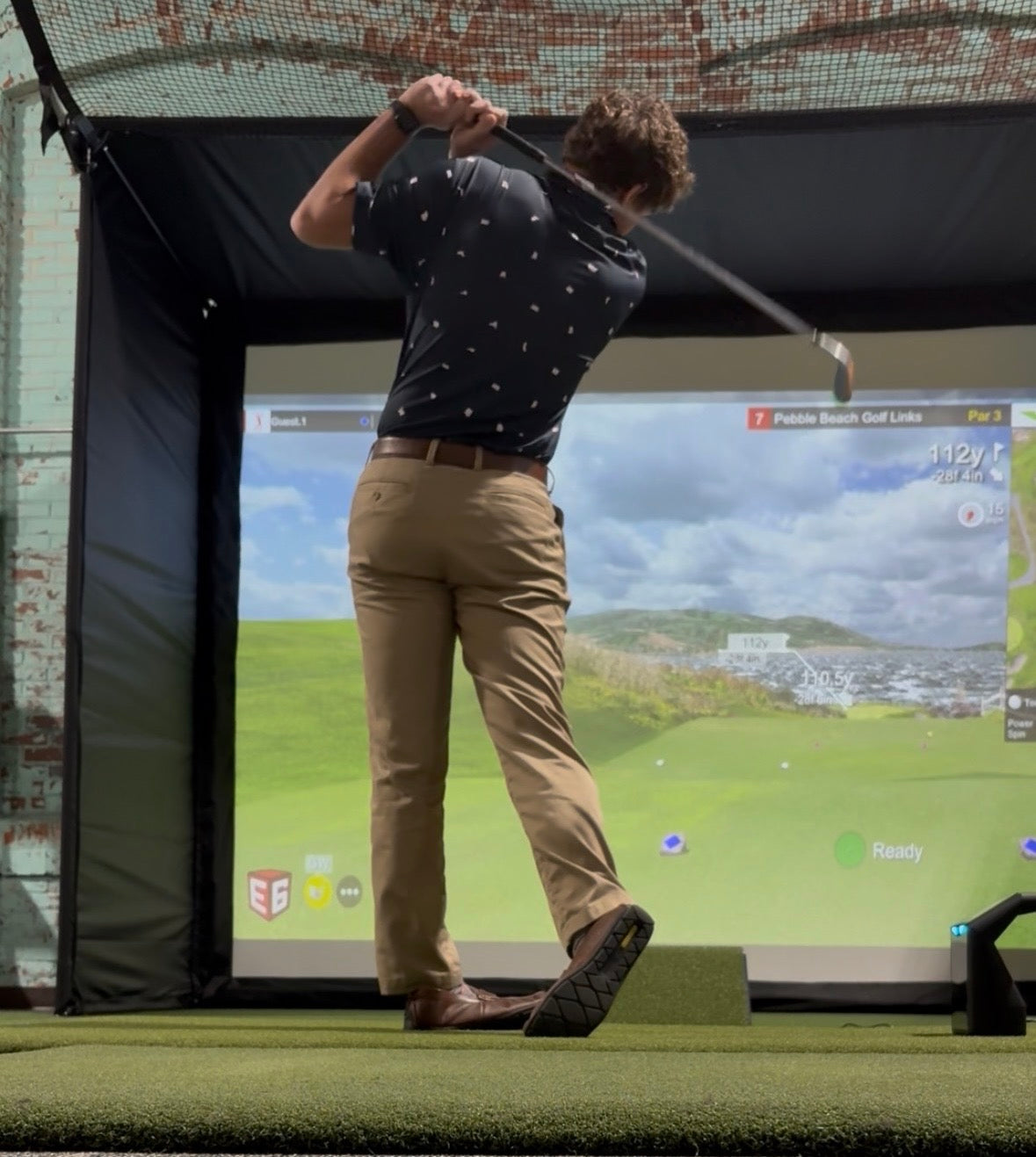
As the 2026 golfing season approaches, enthusiasts are eager to elevate their game, and what better way to do so than through the power of technology? Ethan from AllSportSystems is here to share his coveted golf simulator picks and essential gear that every golfer should have in their arsenal. Whether you're a seasoned pro or just starting out, having the right equipment can transform the way you practice and enjoy the game, regardless of the weather or time of day. From cutting-edge simulators that offer realistic play to accessories designed to enhance your simulator experience, Ethan’s expert selections promise to bring the course directly to your living room. Get ready to delve into the world of innovative golf technology and elevate your skills to new heights—because this year, it’s all about hitting the fairway, no matter where you are!
Why Invest in a Golf Simulator?
Investing in a golf simulator is not just a luxury for avid golfers; it's a game-changer that can elevate your performance and enjoyment of the sport. First and foremost, a golf simulator offers the convenience of playing and practicing indoors, regardless of the weather conditions outside. Whether it's raining or snowing, you can still perfect your swing and keep your skills sharp without having to visit a golf course. This means you can practice more frequently and consistently, which is essential for improvement.
Moreover, golf simulators are excellent tools for providing immediate feedback on your performance. Advanced models are equipped with sensors and cameras that analyze your swing, ball speed, launch angle, and other critical metrics. By reviewing this data, you can identify areas for improvement and make the necessary adjustments to your technique. This kind of detailed analysis is something that even regular trips to the driving range can't always provide, making simulators an invaluable asset for serious golfers.
In addition to improving your skills, a golf simulator can also enhance your overall enjoyment of the game. Many simulators offer a variety of courses from around the world, allowing you to experience playing in different environments without ever leaving your home. Whether you want to tackle the challenging greens of St. Andrews or enjoy a leisurely round at Pebble Beach, a golf simulator can make it possible. This variety keeps the game exciting and can introduce you to new challenges and experiences, further deepening your love for golf.
Top Golf Simulator Picks for 2026
As technology continues to advance, the options for golf simulators have become more sophisticated and varied. Ethan from AllSportSystems has carefully curated his top picks for 2026, focusing on models that offer the best combination of realism, accuracy, and user experience. One standout golf sim package choice is the Low Cost Garmin R10 Golf Simulator Bundles with XGA Projector and Small Bay. The Garmin R10 is a great portable golf sim launch monitor known for its precision and low price point. In Ethan's eyes, you can't beat the price point for the complete golf sim bundle for small rooms.

The Garmin R10 mixed with the MicroBay is a great golf simulator package at a low price!

The Garmin R10 may be small, but it is mighty!
Introduction to the MicroBay and an affordable golf sim bundle package!
Another excellent priced golf sim package option is the Budget Uneekor Eye Mini Lite Indoor Golf Simulator Kits with XGA Projector, 4:3 Bay, Mat. This simulator features the Uneekor Eye Mini Lite at the best price you will find for a complete golf sim package with the Eye Mini Lite included. Not to mention, this is Uneekor's most affordable launch monitor.

Uneekor complete golf sim package for the win!
For those seeking a more immersive experience, Trugolf Launch Box Golf Simulator Kits with 4K Projector and Safety Bay is a top contender golf sim package. This all-in-one solution includes the inexpensively priced TruGolf LaunchBox launch monitor, a hitting enclosure, and a high-definition projector, creating a realistic and engaging simulation environment. The TruGolf system is known for its affordability and accuracy, making it a popular choice among amateur golfers. This fully loaded golf sim package enhances this by providing a complete setup that transforms any room into a virtual golf course.
Click Here to Read all About the TruGolf LaunchBox Portable Launch Monitor!
 This TruGolf LaunchBox package has everything you could want in a golf sim!

The TruGolf LaunchBox is known for its portability. Whether it's in your home sim or outside at the driving range with you!
Key Features to Look for in a Golf Simulator
When choosing a golf simulator, it's essential to consider the key features that will best meet your needs and enhance your practice sessions. One of the most critical aspects to look for is accuracy. A high quality top rated golf simulator should provide precise data on your swing, ball speed, launch angle, spin rate, and other important metrics. This information is crucial for analyzing your performance and making informed adjustments to your technique. Look for simulators that use advanced sensors and cameras to ensure the data you receive is reliable.

This overhead Uneekor EYE XO golf simulator packages is a top rated experience!
Another important feature to consider is the realism of the simulation. The best golf simulators offer high-definition graphics and realistic physics that mimic the experience of playing on an actual golf course. This includes accurate representations of famous courses, realistic ball flight, and even environmental factors like wind and elevation. A simulator that provides a lifelike experience will not only make your practice sessions more enjoyable but also help you better prepare for real-world play.
Ease of use is also a significant factor when selecting a golf simulator. The setup should be straightforward, and the system should be user-friendly, even for those who are not particularly tech-savvy. Look for simulators that offer intuitive interfaces, straightforward calibration processes, and easy integration with other devices such as tablets or smartphones. Additionally, consider the space requirements of the simulator; ensure that you have enough room to swing comfortably and that the simulator fits well within your designated area.
Must-Have Accessories for Your Golf Simulator Setup
To get the most out of your golf simulator, it's essential to complement it with the right accessories. One of the most important accessories is a high quality and durable hitting mat. A good hitting mat simulates the feel of real grass and provides a stable surface for your shots. Look for mats that are durable and offer features like shock absorption to protect your joints. Some mats also come with adjustable tee heights, allowing you to practice with different clubs and shots.

Feel like you are on the fairway with AllSportSystems quality mats!
A dependable impact screen is another must-have accessory for your simulator setup. These screens take your shots and hold up to withstand them time and time again. Get the strongest for your simulator setup!

AllSportSystems offers three levels of impact screens to choose from.
Not to mention, Ethan is a big fan of AllSportSystems replacement golf sim impact screen strips. Extend the life of your golf impact screen indefinitely with replaceable golf screen impact strips! Works with any golf simulator screen. These 3' wide replaceable strips hang in front of your main golf simulator screen and can easily be swapped out as needed. You may never need to replace your golf screen again!

The replaceable impact screen strips are a lifesaver. Save and protect your screen today!
Additionally, good golf sim projectors are crucial for creating an immersive simulation experience. A high definition projector will ensure that the images of the course are crisp and clear, enhancing the realism of your practice sessions. Look for projectors with high lumens for bright and vivid displays, and ensure they have the necessary connectivity options to integrate seamlessly with your simulator system. Mounting the projector correctly is also important to avoid shadows and ensure the best possible viewing angle.

This Benq projector is one of the best on the market!
When it comes to mounting the projector, it is important to get the best option for your simulator setup. AllSportSystems has kept this idea in mind. For starters, if you do not want to deal with drilling or ceiling mounted projectors, the TerraShield is a great option. The TerraShield is the best floor mount enclosure for golf simulator projectors.

The TerraShield provides a sleek design while also providing unmatched protection!
Another option to avoid mounting the projector to the ceiling is the mounting the projector to the bay or enclosure via the SkyRail+. The SkyRail+ is the best cage attached projector mount for home golf sim enclosure.
 The SkyRail+ looks amazing golf simulator bays! Not to mention, it shows the picture flawlessly!
If mounting overhead is the route you want to go, the SkyRail remains the best adjustable sliding projector mount for golf sims!
Introduction to the SkyRail: The Best Adjustable Sliding Projector Mount for Golf Bays!
Click Here to Read all About Floor vs Ceiling Mounted Golf Sim Setups!
What about safety? What is going to protect your room and loved ones from errant golf shots? That would be the SkyGuard Top and Side Safety Netting for Bays from AllSportSystems. Ethan believes this is the best safety feature for home golf simulators!
Introduction to the SkyGuard Top and Side Safety Netting for Bays!
The Role of Software in Enhancing Your Simulator Experience
The software that powers your golf simulator plays a crucial role in determining the quality and realism of your simulation experience. Advanced simulator software offers a range of features that can significantly enhance your practice sessions. One of the key aspects to look for is the variety of courses available. The best software includes detailed recreations of famous golf courses from around the world, allowing you to experience different challenges and environments.
In addition to course variety, good simulator software provides comprehensive data analysis and feedback. The software should capture and display critical metrics such as swing speed, ball flight, launch angle, and spin rate. This data is essential for diagnosing issues with your swing and making targeted improvements. Some software also includes video playback features, allowing you to review your swing in detail and compare it to professional techniques.
Another important feature of simulator software is the inclusion of practice modes and training aids. These can range from driving range simulations to specific drills designed to improve different aspects of your game. Look for software that offers customizable practice sessions and the ability to track your progress over time. This will help you stay motivated and focused on your goals. Additionally, some software includes multiplayer options, allowing you to compete against other golfers online, adding a fun and competitive element to your practice.
Expert Tips from Ethan on Optimizing Your Golf Simulator
To get the most out of your golf simulator, it's essential to optimize your setup and practice routines. Ethan from AllSportSystems shares some expert tips to help you maximize your simulator experience. First and foremost, ensure that your simulator is set up correctly and calibrated accurately. Follow the manufacturer's instructions carefully and take the time to fine-tune the system. This will ensure that the data you receive is accurate and that the simulation is as realistic as possible. AllSportSystems offers detailed setup guides for golf simulators and accessories. AllSportSystems also offers expert golf simulator installation services around the U.S.

Let AllSportSystems take care of the assembly, while you think about the countless hours of fun you will soon be having!
Ethan also recommends creating a dedicated practice schedule and sticking to it. Consistency is key when it comes to improving your golf game, so try to practice regularly, even if it's just for a short session each day. Use the data and feedback provided by the simulator to focus on specific areas for improvement. For example, if the simulator indicates that your launch angle is too high, dedicate some practice time to working on that aspect of your swing.
Another tip from Ethan is to make use of the various practice modes and features available in your simulator software. These tools are designed to help you work on different aspects of your game, from driving and iron play to putting and chipping. Take advantage of these features to create a well-rounded practice routine. Additionally, consider recording your practice sessions and reviewing the footage to gain further insights into your technique. This can help you identify subtle issues that may not be apparent in real-time.
Common Mistakes to Avoid When Setting Up a Golf Simulator
Setting up a golf simulator can be a complex process, and there are several common mistakes that can impact the quality of your experience. One common mistake is not allowing enough space for the simulator. Ensure that you have adequate room for your full swing, as well as space for the projector, screen, and other equipment. A cramped setup can not only affect your swing but also pose a safety risk. Remember that the MicroBay is the perfect golf sim bay for small spaces. Also, remember the fully loaded golf sim packages for small spaces.
Another mistake is neglecting the importance of proper lighting and projector placement. Poor lighting can affect the visibility of the screen and the accuracy of the sensors. Similarly, incorrect projector placement can result in shadows or distorted images. Take the time to set up your lighting and projector correctly, following the manufacturer's recommendations. This will ensure that you have a clear and bright display, enhancing the realism of the simulation.
Lastly, don't overlook the importance of regular maintenance and calibration. Dust and wear can affect the performance of the sensors and cameras in your simulator. Make it a habit to clean and calibrate your system regularly to ensure it remains accurate and reliable. This will not only improve the quality of your practice sessions but also extend the lifespan of your equipment.
Hole 18: Final Thoughts on Golf Simulator Gear for 2026
As we move into the 2026 golfing season, the advancements in golf simulator technology offer exciting opportunities for players of all levels. Whether you are a seasoned pro or just starting out, investing in a high-quality golf simulator and the right accessories can transform your practice sessions and enhance your overall enjoyment of the game.
In addition to choosing the right simulator, it's important to consider the key features and accessories that will best enhance your setup. Accurate data analysis, realistic graphics, and user-friendly interfaces are essential for getting the most out of your simulator. Complementing your system with high-quality mats, nets, screens, and projectors will further enhance your practice environment.
Click Here to Read All About the Best Golf Simulator Accessories for your Home Golf Simulator!
Ethan's expert tips and insights provide valuable guidance for optimizing your simulator experience. By avoiding common setup mistakes and making use of the various features and practice modes available, you can ensure that your simulator becomes a powerful tool for improvement. As you prepare for the 2026 golfing season, take the time to invest in the right gear and set up your simulator correctly. With the right equipment and a dedicated practice routine, you'll be well on your way to hitting the fairway with confidence, no matter where you are.
