
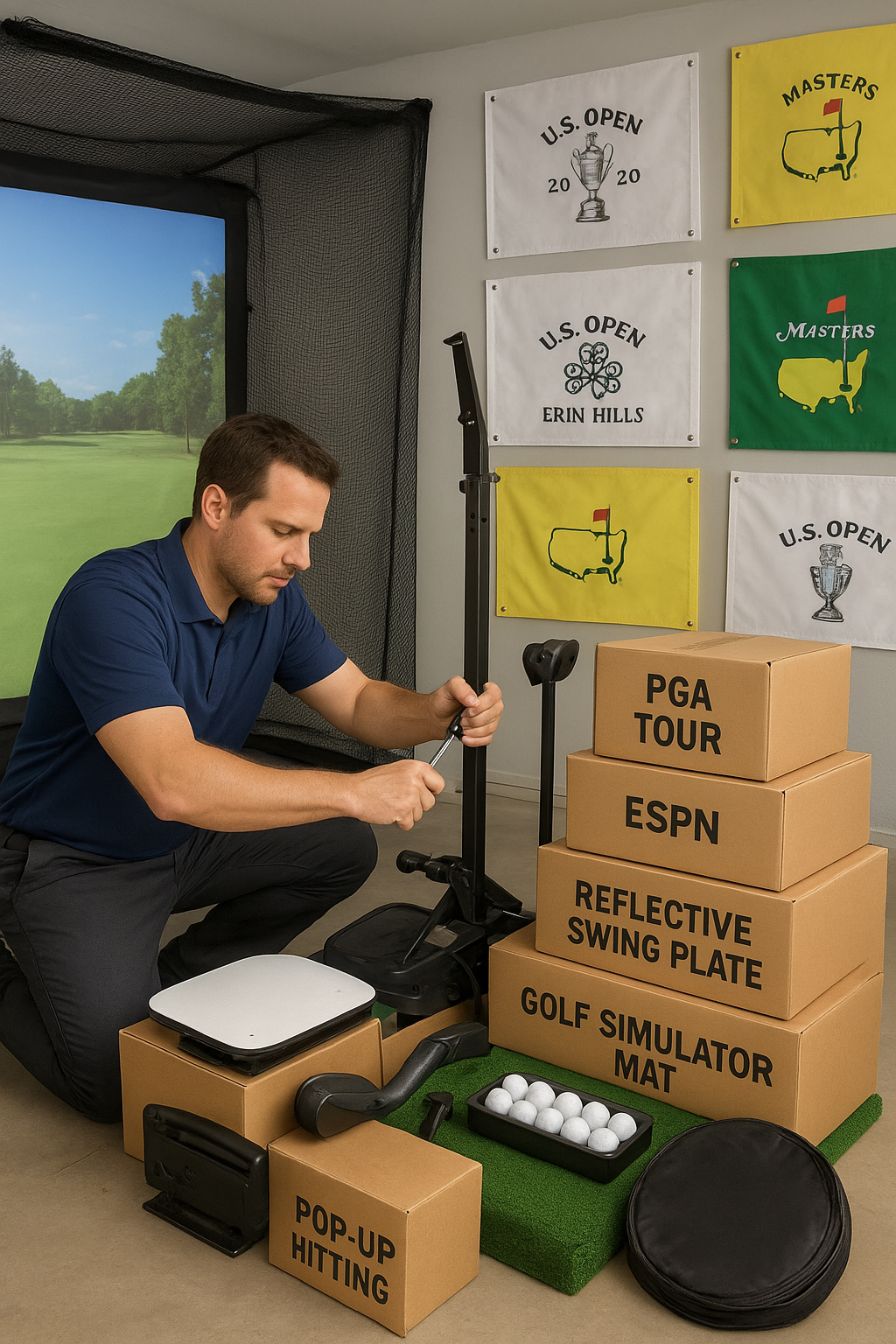
Imagine stepping onto the golf course without ever leaving your home. With the rapid advancements in technology, golf simulators are transforming how we practice and play. But to truly elevate your game and maximize your indoor golfing experience, consider the wealth of add-ons available to enhance your swing. From realistic projection systems to adjustable hitting mats, these innovative tools can replicate the thrill of being on the green while providing crucial feedback to refine your technique. This ultimate guide dives into the must-have golf simulator add-ons that promise to take your indoor golfing experience to the next level. Whether you’re a seasoned pro or a beginner looking to improve, these enhancements will ensure you swing with confidence and precision, all while enjoying the comfort of home. Let’s explore the best options for an unmatched golfing experience that keeps you engaged and motivated, rain or shine!
The Importance of Add-Ons for Golf Simulators
Golf simulators have revolutionized the way golfers practice and play the game. However, the basic setup of a simulator, while effective, can be significantly enhanced with the right add-ons. These add-ons not only improve the realism of the experience but also provide valuable data and feedback that can help you refine your technique. The importance of these enhancements cannot be overstated, as they bridge the gap between virtual practice and real-world performance.
One of the key benefits of using add-ons is the increased accuracy they bring to your practice sessions. High-quality sensors, cameras, and tracking systems can provide detailed analysis of your swing, ball trajectory, and other critical aspects of your game. This level of detail is crucial for identifying areas of improvement and making precise adjustments to your technique. Without these add-ons, you might miss out on essential feedback that could make a significant difference in your performance.
Moreover, add-ons can make your practice sessions more engaging and enjoyable. Features like realistic projection systems, interactive courses, and customizable environments can transform your practice space into a captivating and immersive experience. This added layer of enjoyment can keep you motivated and eager to practice, leading to more consistent and effective training sessions. In essence, add-ons are not just about enhancing the technical aspects of your game; they also contribute to a more enjoyable and productive practice routine.
Types of Golf Simulator Add-Ons
There is a wide range of golf simulator add-ons available, each designed to enhance different aspects of your practice experience. Understanding the different types of add-ons can help you make informed decisions about which ones will best suit your needs and goals.
One of the most popular types of add-ons is the high-speed camera system. These systems capture detailed images of your swing at various points, providing a comprehensive analysis of your technique. High-speed cameras can be used in conjunction with swing analysis software to offer valuable insights into your form, helping you identify and correct any flaws. This level of detail can be particularly beneficial for serious golfers looking to make precise improvements to their game.
Another essential add-on is the advanced launch monitor. These devices measure critical data points such as ball speed, launch angle, spin rate, and carry distance. This information is invaluable for understanding how different factors affect your shots and making necessary adjustments. Some launch monitors are even capable of integrating with simulation software to provide real-time feedback and analysis, making your practice sessions more interactive and informative.
Launch Monitors
A few excellent launch monitors that are perfect for a premium home golf simulator experience are :
The Garmin R10 Approach R10. This budget friendly golf simulator launch monitor is an affordable and portable solution for use in your home golf simulator or on the course. While a premium golf simulator experience launch monitor is also from Garmin, which is the Approach R50 Golf Launch Monitor. The Approach R50 is a premium golf simulator and launch monitor with a 10” color touchscreen for virtual rounds, and three-cameras for precise club and ball measurements. This incredible launch monitor from Garmin changes everything for home golf simulators! With over 42,000 real-world golf courses!
Who else but Garmin could deliver so many courses preloaded into a launch monitor? Your favorite local courses are ready to play out of the box!
Another brand would be Uneekor. First up is the EYE MINI LITE Golf Launch Monitor. This elite golf simulator launch monitor is designed to rest on the golf mat, making it suitable for use with your indoor home golf simulator. EYE MINI LITE was designed to get you playing more golf within minutes. No need for complicated setups and installations. The EYE MINI LITE by Uneekor brings you all the outstanding qualities you've come to expect, blending state-of-the-art technology with unmatched simplicity. With EYE MINI LITE, setup is as easy as connecting to a PC, and you're ready to enjoy a comprehensive practice and full golf simulation experience right out of the box. Another top of the line launch monitor for golf simulator option from Uneekor is the EYE XO2 Golf Simulator Overhead Launch Monitor. The most advanced overhead launch monitor, the EYE XO2, is designed for those who accept nothing but the best in golf simulation technology. With three high-speed cameras and infrared lights, it captures a huge hitting zone and has the ability to recognize the Uneekor Trouble Mat.
One final brand to look at in terms of launch monitors is ProTee. The immersive launch monitor experience for golf simulators is the ProTee VX Overhead Golf Launch Monitor. ProTee United’s new VX Launch Monitor perfectly balances high tech and simplicity. Its slick design and high accuracy make it the ideal launch monitor for your home. The most anticipated ceiling launch monitor right now with a wide variety of great features.
In addition to technical enhancements, there are also add-ons designed to improve the overall experience of using a golf simulator. For example, adjustable hitting mats can replicate the feel of different terrains, while high-quality projection screens can create a more immersive visual experience. There are also various accessories like swing trainers, alignment aids, and training aids that can help you practice specific aspects of your game more effectively. By combining these different types of add-ons, you can create a comprehensive and highly effective practice environment.
Mounts for Launch Monitors and Projectors
Other add-ons may help the appeal and performance of your home golf simulator. For instance, what if you want your golf simulator launch monitor overhead? Like a few of the overhead launch monitors listed, how would you get that bad boy up there? A great add-on option is from AllSportSystems. This option is called the SkyRail-LM, which is a Sliding Track Mount for Overhead Golf Launch Monitors. The SkyRail-LM™ sliding mount for overhead golf simulator launch monitors allows you to slide any overhead launch monitor left or right along a track, easily adjusting its position in your golf simulator space. This is especially helpful in tight rooms where you cannot swing your clubs freely for both right and left-handed golfers, or when you simply want to minimize the effort it takes to mount your overhead launch monitor precisely in your golf simulator room. The flexibility of this adjustable sliding overhead launch monitor mount makes it easy to slide any golf launch monitor left and right to find the perfect position! The SkyRail-LM gives your home golf simulator a crisp and professional look while allowing it to deliver a premier experience at the same time.

The SkyRail-LM™ is the perfect mount for any overhead golf simulator launch monitors.
Another appeal add-on would be things like projector shields and mounts. For instance, if you want your golf simulator projector on the floor, you can get an affordable and durable floor mount enclosure for golf sim projector. The original projector floor mount is still the best! Mount your golf projector on the floor rather than on the ceiling! The TerraShield™ floor-mounted projector enclosure eliminates the need to install a ceiling mount, electricity, and video wires in the ceiling of your golf simulator room or home theater. What makes the Original TerraShield™ Projector Floor Enclosure stand out as the best? Since its release in 2015, the original TerraShield™ floor projector case has been copied by many imitators. But the inferior knockoffs do not even come close to the quality, strength, and functional beauty of AllSportSystems original design.

The Terra Shield is perfect for those who do not want their golf simulator projector attached to the ceiling. Instead, they can have peace of mind knowing their projector is safe and sound on the floor.
For those who want the golf sim projector mounted from the ceiling instead, AllSportSystems offers an adjustable sliding golf simulator projector mount that allows you to slide your projector along a track to easily adjust the distance between the projector and the screen. The SkyRail™ is available in multiple sizes and is the ideal solution for many complex projector mounting scenarios. Many also believe that it is the best golf simulator projector mount on the market.
The SkyRail™ is the perfect option for those who want to mount their golf sim projector to the ceiling. With a state of the art design, the SkyRail™ is sure to please!
What if you don't want the projector on the floor or the ceiling? Well, you're in luck. AllSportSystems offers a One of a Kind Cage Attached Projector Mount for Golf Simulator Bays called the SkyRail+. The SkyRailPLUS™ attaches directly to your golf simulator enclosure. This eliminates any concerns about drilling holes in the ceiling and routing of the HDMI or Power cables to the ceiling. The SkyRail+ is a unique design made with craftsmanship.

The Skyrail+ is the perfect option for someone who does not want their projector on the ground, while also not wanting it mounted on the ceiling. Get that happy medium by mounting it to the bay or enclosure and having a great golf simulator experience!
Lastly, what if you do have the golf simulator projector mounted to the ceiling and you want some added protection for the projector? AllSportSystems has you covered with our Affordable Cage for Golf Simulator Projectors called the Projector Shield™. Isolate and protect your golf simulator projector from stray shots or club strikes with the Projector Shield™!

The Projector Shield is the perfect protective covering for ceiling-mounted golf simulator projectors.
Click Here to Read about Overhead vs Floor Mounted Home Golf Simulator Setups!
Safety Add-Ons
Safety add-ons can save trips to the hospital, save home repairs, and add to the overall look of the golf simulator setup. One must-have for safety is offered by AllSportSystems, and it is the Golf Simulator Top and Side Safety Netting for Bays called the SkyGuard™. Protect your golf simulator room from stray or errant (shank) golf shots with our universal cage-attached safety net extensions. Everyone shanks a shot or two, but with the SkyGuard™ Safety Net Extension System, you can have peace of mind knowing that accidental stray balls won't damage your golf room walls or ceiling. The perfect addition to any golf simulator enclosure, the SkyGuard™ safety netting attaches to the top corners of any bay and offers articulating arms that can extend over 4'6" in front of your enclosure. Custom netting affixes to the outside arms to provide shot protection on the top and sides.
The SkyGuard Top and Side Safety Netting provides ultimate protection against errant golf shots!
Another safety feature is Angled Side Netting for Golf Simulator Bays. These angled side nets can be attached to any golf simulator bay with stick-on soft (loop) Velcro or zip ties. This makes it a must-have safety feature for your golf simulator setup. Lastly, there is something that really takes your golf sim up a notch. That would be wall padding tiles for golf simulator. The affordable wall padding tiles and ceiling panels will beautify your golf room while protecting your simulator space from ball marks, drywall holes, and other damage from errant shots. Although these wall and ceiling panels add safety, they also add a professional look to your home golf simulator setup!
The benefits of using golf simulator add-ons extend beyond simply improving your swing. These enhancements can lead to a more comprehensive and effective practice routine, ultimately helping you become a better golfer. One of the primary benefits is the ability to receive detailed and accurate feedback on your performance. This feedback is crucial for identifying areas of improvement and making informed adjustments to your technique.
Another significant benefit is the increased realism and immersion that add-ons can provide. Features like high-quality projection systems, realistic hitting mats, and interactive courses can make your practice sessions feel more like being on an actual golf course. This level of immersion can enhance your focus and engagement, making your practice sessions more enjoyable and productive. The more realistic and engaging your practice environment, the more likely you are to consistently practice and improve your skills.
Furthermore, golf simulator add-ons can help you track your progress over time. Many advanced systems allow you to save and analyze your performance data, providing a detailed record of your improvements and areas that still need work. This ability to track your progress can be incredibly motivating, as it allows you to see tangible results from your practice efforts. Additionally, having a detailed record of your performance can help you set realistic goals and create a more structured and effective practice routine.
Top Add-Ons for Improving Your Swing
When it comes to improving your swing, certain add-ons stand out for their effectiveness and innovation. One of the top add-ons is the swing analyzer. These devices attach to your club or glove and provide detailed data on various aspects of your swing, such as swing speed, tempo, and angle of attack. This information is crucial for identifying specific areas of improvement and making precise adjustments to your technique. Some swing analyzers even offer real-time feedback and personalized coaching tips, making them an invaluable tool for any golfer looking to refine their swing.
Another highly effective add-on is the impact screen and projector setup. A high-quality impact screen can provide a realistic and durable surface for your shots, while a projector can create an immersive visual experience by displaying realistic golf courses and environments. This combination can make your practice sessions feel more like being on an actual golf course, enhancing your focus and engagement. Additionally, the visual feedback provided by the projector can help you better understand how different factors affect your shots and make necessary adjustments. Quality and affordable golf simulator impact screens can be found at AllSportSystems. AllSportSystems also offers state of the art golf simulator impact screen replacement strips.

AllSportSystems offers an affordable way to preserve your golf simulator impact screen with replacement strips!
For those looking to improve their putting, a putting green mat can be an excellent addition to your golf simulator setup. These mats come in various sizes and designs, with some offering adjustable slopes and contours to replicate different putting conditions. Practicing on a high-quality putting green mat can help you develop a more consistent and accurate putting stroke, ultimately leading to better performance on the green. By combining these top add-ons, you can create a comprehensive and highly effective practice environment that addresses all aspects of your game. While green turf golf stance mats can improve your game, they also really tie the whole golf simulator setup together. Affordable golf simulator stance mats and flooring can be found at AllSportSystems!
How to Choose the Right Add-Ons for Your Simulator
Selecting the right add-ons for your golf simulator can be a daunting task, given the wide range of options available. However, by considering a few key factors, you can make informed decisions that will best suit your needs and goals. One of the first factors to consider is your skill level and specific areas of improvement. For example, if you are a beginner looking to develop a consistent swing, a swing analyzer and launch monitor may be particularly beneficial. On the other hand, if you are an experienced golfer looking to refine your technique, high-speed cameras and advanced analysis software may be more appropriate.
Another important consideration is your budget. While some add-ons can be quite expensive, there are also more affordable options that can still provide valuable benefits. It is essential to strike a balance between quality and cost, ensuring that you get the best value for your investment. Researching and comparing different products can help you find the most cost-effective options that meet your needs.
Additionally, it is crucial to consider the compatibility of the add-ons with your existing golf simulator setup. Some add-ons may require specific software or hardware to function correctly, so it is essential to ensure that they are compatible with your current system. Reading user reviews and seeking recommendations from other golfers can also provide valuable insights into the effectiveness and compatibility of different add-ons. By carefully considering these factors, you can select the right add-ons that will enhance your practice experience and help you achieve your golfing goals. It is important to note that AllSportSystems offers a lot of customization options when it comes to golf simulators, as well as accessories and add-ons. Not to mention, a lot of AllSportSytstems designs are universal fit, meaning our products can work with multiple golf simulator bays and enclosures, even from other brands!
Installation and Setup Tips for Add-Ons
Installing and setting up your golf simulator add-ons correctly is crucial for ensuring their effectiveness and longevity. One of the first steps in the installation process is to carefully read the manufacturer's instructions and guidelines. These instructions will provide detailed information on how to properly install and set up the add-ons, ensuring that they function correctly and safely.
When setting up high-speed cameras and launch monitors, it is essential to position them correctly to capture accurate data. For example, cameras should be placed at specific angles and distances to capture detailed images of your swing. Similarly, launch monitors should be positioned to accurately measure ball speed, launch angle, and other critical data points. Taking the time to properly position and calibrate these devices can significantly enhance their accuracy and effectiveness.
Additionally, it is important to ensure that your practice space is properly set up to accommodate the add-ons. This may involve creating enough space for swing motion, setting up proper lighting for cameras, and ensuring that projection screens are securely mounted. Taking these steps can help create a safe and effective practice environment that maximizes the benefits of your add-ons. By following these installation and setup tips, you can ensure that your golf simulator add-ons function correctly and provide valuable feedback and insights for improving your game. AllSportSystems offers setup and user guides for golf simulators as well as accessories and add-ons. Something that makes AllSportSystems unique is our Affordable Golf Simulator Installation Services. With our main office in North Carolina, we are the natural choice for golf simulator installation in North Carolina, South Carolina, Georgia, Virginia, and Tennessee. We also have a nationwide network of installers covering every state! Let us build your golf simulator for you! Our network of golf simulator installers is available nearly everywhere in the USA.

Golf simulator installation does not have to be a hassle! Let us take care of it for you!
Maintenance and Troubleshooting of Golf Simulator Add-Ons
Proper maintenance and troubleshooting are essential for keeping your golf simulator add-ons in optimal condition. Regular maintenance can help prevent issues and ensure that your devices continue to function accurately and effectively. One of the first steps in maintaining your add-ons is to keep them clean and free of dust and debris. This is particularly important for high-speed cameras and launch monitors, as dust and dirt can affect their accuracy and performance. Regularly cleaning these devices with a soft cloth and appropriate cleaning solutions can help maintain their accuracy and longevity.
Another important aspect of maintenance is updating the software and firmware of your add-ons. Manufacturers often release updates that can improve the functionality and performance of their devices. Regularly checking for and installing these updates can help ensure that your add-ons continue to provide accurate and valuable feedback. Additionally, updating the software can help fix any bugs or issues that may arise, enhancing the overall performance and reliability of your devices.
In the event of technical issues or malfunctions, troubleshooting can help identify and resolve the problem. Common troubleshooting steps include checking the connections and power supply, recalibrating the devices, and consulting the manufacturer's troubleshooting guide. If the issue persists, reaching out to the manufacturer's customer support can provide further assistance and solutions. By following proper maintenance and troubleshooting practices, you can ensure that your golf simulator add-ons continue to function effectively and provide valuable insights for improving your game.
User Experiences and Testimonials
Hearing from other golfers who have used golf simulator add-ons can provide valuable insights into their effectiveness and benefits. Many users have reported significant improvements in their game after incorporating add-ons such as swing analyzers, launch monitors, and high-speed cameras into their practice routines. These devices have helped them identify specific areas of improvement and make precise adjustments to their technique, leading to more consistent and accurate shots.
For example, one user reported that using a swing analyzer helped them develop a more consistent and powerful swing. The detailed feedback provided by the device allowed them to identify flaws in their technique and make necessary adjustments. Over time, they saw significant improvements in their swing speed, accuracy, and overall performance. This level of detailed feedback and analysis would not have been possible without the use of the swing analyzer.
Another user shared their experience with a high-quality projection system and impact screen. They found that the realistic visual feedback and immersive environment created by these add-ons significantly enhanced their practice sessions. The ability to practice on realistic courses and receive immediate visual feedback on their shots helped them develop better course management skills and improve their overall game. These user experiences and testimonials highlight the significant benefits that golf simulator add-ons can provide, making them a valuable investment for any golfer looking to improve their game.
Conclusion and Future Trends in Golf Simulation Technology
In conclusion, golf simulator add-ons offer a wide range of benefits that can significantly enhance your practice experience and improve your game. From detailed feedback and analysis provided by swing analyzers and launch monitors to the immersive and engaging environment created by projection systems and impact screens, these add-ons can help you develop a more effective and enjoyable practice routine. By carefully selecting the right add-ons for your needs and properly maintaining and troubleshooting them, you can ensure that you get the most out of your golf simulator setup.
Looking ahead, the future of golf simulation technology is promising, with ongoing advancements and innovations that are set to further enhance the practice experience. For example, developments in artificial intelligence and machine learning are expected to lead to more advanced and personalized coaching systems. These systems will be able to provide real-time feedback and tailored training programs based on your performance data, helping you make more precise and effective improvements to your game.
Additionally, advancements in virtual reality and augmented reality are likely to create even more immersive and realistic practice environments. These technologies have the potential to transform your practice space into a virtual golf course, complete with realistic terrains, weather conditions, and interactive elements. As these technologies continue to evolve, the possibilities for enhancing your indoor golfing experience are endless. By staying informed about these future trends and incorporating the latest advancements into your practice routine, you can continue to enhance your swing and achieve your golfing goals.
Make sure to stay up to date with AllSportSystems as we are always coming up with new ways to better our products and generate new innovative ideas for home golf simulator setups. Remember to check out AllSportSystems for all of your golf simulator needs.
- Complete Golf Simulator Packages
- Golf Simulator Bays and Enclosures
- Golf Simulator Projector Shields and Mounts
- Golf Simulator Impact Screens
- Replaceable Golf Simulator Impact Screen Strips
- Golf Simulator Safety Netting and Wall Padding
- Golf Simulator Accessories and Add Ons
Enhance your swing and elevate your indoor golfing experience with the right golf simulator add-ons. Whether you are a seasoned pro or a beginner looking to improve, these enhancements will provide valuable feedback and create an engaging and immersive practice environment. Invest in the right add-ons, maintain them properly, and stay informed about the latest trends in golf simulation technology to take your practice routine to the next level. Happy golfing!
