
Elevating your golf game has never been easier, thanks to the latest technology in ceiling-mounted golf simulators. Imagine transforming any room into your personal driving range, where you can practice your swing and perfect your putting without ever stepping outside. These innovative systems not only save space but also provide an immersive experience that mimics real-life conditions. Whether you’re a seasoned pro looking to fine-tune your technique or a casual golfer hoping to knock a few strokes off your score, this ultimate guide will walk you through everything you need to know. From selecting the right simulator for your needs to tips on installation and optimal use, we’ve got you covered. Say goodbye to weather restrictions and expensive greens fees; it’s time to take your indoor practice to the next level. Get ready to transform your skills and elevate your game!
Advantages of Indoor Golf Practice
Indoor golf practice offers a multitude of advantages that make it an attractive option for golfers of all levels. One of the primary benefits is the ability to practice regardless of weather conditions. Rain, snow, or extreme heat can easily derail outdoor plans, but an indoor setup ensures that you can work on your game year-round without interruption. This consistency is crucial for improvement, allowing you to maintain and enhance your skills continuously.
Another significant advantage is the convenience factor. With a ceiling-mounted golf simulator, you can practice at any time that suits your schedule. Whether you have just a few minutes or several hours to dedicate to your game, the simulator is always ready and waiting. This flexibility is particularly beneficial for busy professionals and those with family commitments, as it eliminates the need to travel to a golf course or driving range.
Indoor practice also provides a controlled environment where you can focus on specific aspects of your game. Unlike a driving range where external factors such as wind or uneven ground can affect your performance, a simulator allows for precise calibration and feedback. This controlled setting is ideal for working on technical aspects, such as swing mechanics and ball trajectory, with immediate data to track your progress.
Key Features to Look for in a Ceiling-Mounted Golf Simulator
When selecting a ceiling-mounted golf simulator, it's essential to consider several key features that will impact your overall experience and satisfaction. First and foremost, the accuracy of the simulator is paramount. High-quality sensors and cameras that capture detailed swing and ball data will provide the most realistic and beneficial feedback. Look for models with advanced tracking technology that can measure metrics such as ball speed, launch angle, and spin rate.
Another critical feature is the software that powers the simulator. The best systems come with a variety of virtual courses and practice modes, allowing you to simulate real-life golfing conditions. Some even offer multiplayer options and online tournaments, adding a social dimension to your practice sessions. Ensure that the software is user-friendly and regularly updated to keep your experience fresh and engaging.
The physical build and durability of the simulator also matter. Since it will be mounted to your ceiling, you need a robust and stable system that can withstand regular use. Pay attention to the quality of the materials and the ease of installation. Additionally, consider the noise level of the simulator, as a quieter model will be more suitable for home use, particularly if you share the space with others.
Top Brands and Models of Ceiling-Mounted Golf Simulators
Several top brands in the market offer high-quality ceiling-mounted golf simulators that cater to different needs and budgets. One of the leading names is Uneekor, known for its precision and professional-grade technology. An overhead launch monitor utilizing two high-speed cameras and patented EYE XO engine to capture club and ball data for instant, accurate feedback you can trust. AllSportSystems offers affordable Uneekor overhead golf simulator launch monitors. Whether it is the Uneekor EYE XO golf simulator overhead launch monitor or the Uneekor QED Golf Simulator Overhead Launch Monitor. An option with the premier experience included is the Uneekor EYE XO2 Golf Simulator Overhead Launch Monitor. AllSportSystems is a great place to checkout when it comes to Uneekor golf simulator packages as well!
Another popular brand is ProTee, with its advanced overhead design, dual cameras, and ball tracking technology, the ProTee VX delivers fast, accurate metrics for every swing. Despite its cutting-edge features, the ProTee VX is offered at an unmatched value, making it accessible to golfers of all levels. AllSportSystems is another great place to check out the ProTee VX Overhead Golf Simulator Launch Monitor. Also, be sure to check out AllSportSystems for complete ProTee golf simulator packages!
What about when it comes to mounting the new bad boy golf simulator overhead launch monitor you have in mind? AllSportSystems makes it easy peasy! In other words, AllSportSystems offers an overhead golf simulator launch monitor mount that makes securing the launch monitor tassel-free. The product is called the SkyRail-LM, which is a Sliding Track Mount for Overhead Golf Launch Monitors. No more worrying about the money you spent being in jeopardy hanging from above, secure your money and indoor golf game with the SkyRail-LM!
Ceiling-Mounted Golf Simulator Projectors
It is really cool to have your golf simulator launch monitor mounted overhead, but what if the same can be done for your golf simulator projector? It can be done! First off, it is important to find a projector that will be perfect for your home golf simulator setup. A few great options are
- BENQ Laser Golf Projector UHD 4K Short Throw 4000 Lumens [16.9] and XGA [4:3]
- Short Throw Golf Projector 3600 Lumens UHD 4K [16.9] and [4:3]
- HD 1080p 16:9 and 4:3 Offset Capable Laser Projector 30,000 hr lamp
- HD 1080p 16:9 and 4:3 ViewSonic Golf Sim Laser Projector 30,000 hrs
- Short Throw Golf Simulator Projector - XGA [4.3]
These affordable golf simulator projectors are great options! Be sure to check out AllSportSystems for the best prices!
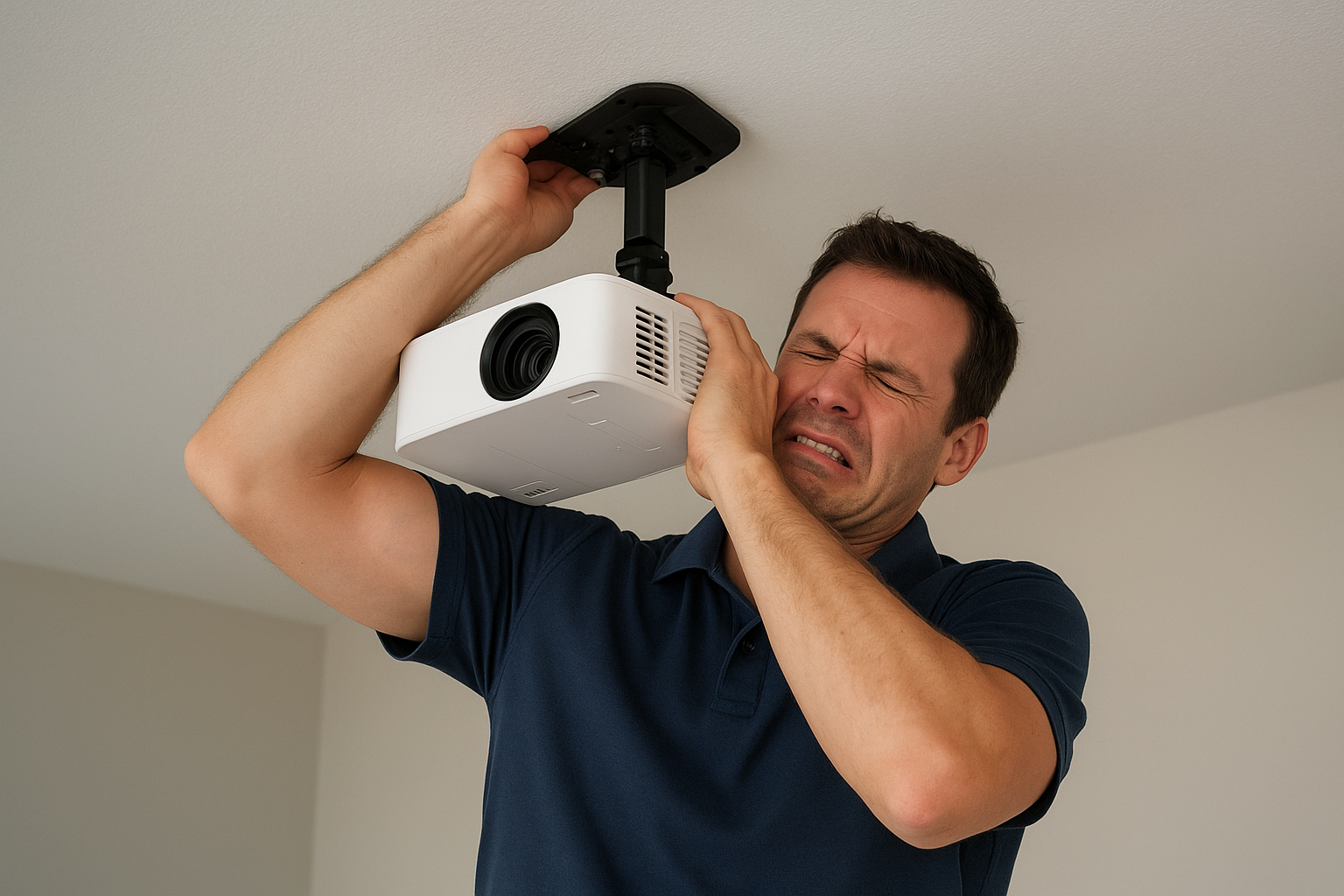
When it comes to mounting these golf simulator projectors on the ceiling, it is important to note that AllSportSystems has products to make this process easy. In other words, AllSportSystems offers affordable golf simulator projector mounts and shields. A popular option when it comes to the ceiling mounted golf simulator projector game is the SkyRail Adjustable Sliding Projector Mount for Golf Simulators. The SkyRail™ sliding projector mount allows you to slide your projector along a track to easily adjust the distance between the projector and the screen. The SkyRail™ is available in multiple sizes and is the ideal solution for many complex projector mounting scenarios. Due to its versatility, many people think the SkyRail™ is the best projector mount for golf simulator projectors on the market.
The SkyRail™ is a state of the art design when it comes to having a golf simulator projector mounted to the ceiling.
Another unique option also offered by AllSportSystems is the SkyRail+. This is a cage attached golf simulator projector mount for golf simulators and bays. A tilting projector mount that attaches directly to your golf simulator enclosure. The SkyRailPlus™ places the projector at the correct distance from the screen with the ability to easily slide the projector forward and backward up to 29 inches. It is also the perfect solution when vaulted or slanted ceilings make mounting the projector on the ceiling impractical. Order yours today to avoid all the hassles of installing video and power cables in your ceiling and drilling precisely positioned holes for your projector mount. The SkyRail+ is a game-changer for those who may not want the golf simulator projector on the ceiling, but maybe they also do not want it on the ground. This is the happy medium, and it avoids a lot of drilling headaches.

The SkyRail+ is perfect for those who want the feel of a ceiling-mounted projector without actually having to mount the projector to the ceiling. The SkyRail+ offers an exceptional golf simulator experience with a raised projector.
AllSportSystems also offers a unique golf simulator projector shield and cage. The Projector Shield™ Cage Isolates and protects your golf simulator projector from getting hit by golf balls or clubs.
Finally, AllSportSystems offers a Universal Golf Sim Projector Ceiling Mount that is perfect for those looking to mount their golf simulator projector. The universal design accommodates most golf simulator projectors, providing a two-in-one installation option. Choose to install it flush, just 5" from the ceiling, or utilize telescopic arms for a drop from 16.9" to 25.6". Mounts seamlessly to ceilings or walls, offering flexibility in your golf simulator hitting bay setup.
Installation Guide for Ceiling Mounted Golf Simulators
Installing a ceiling-mounted golf simulator may seem daunting, but with careful planning and the right tools, it can be a straightforward process. Begin by selecting the optimal location for your simulator. Ensure that the ceiling height is sufficient to accommodate your swing without obstruction. A minimum height of 9-10 feet is generally recommended, but this may vary depending on your height and swing style.
Next, gather all the necessary tools and equipment, including mounting brackets, screws, a drill, and a level. Follow the manufacturer's instructions carefully, as each simulator may have specific requirements. Start by marking the positions for the mounting brackets on the ceiling, ensuring they are aligned correctly. Drill holes for the screws, and then attach the brackets securely. It's crucial to double-check that everything is level and stable before proceeding.
Once the brackets are in place, you can mount the simulator unit. This typically involves securing the device to the brackets and ensuring all connections are tight. After the hardware is installed, connect the simulator to your computer or projector and set up the software. Follow the on-screen instructions to calibrate the system and configure your settings. Take your time to ensure everything is correctly aligned and functioning before starting your practice sessions.
It is important to note that AllSportSystems offers affordable golf simulator installation services. With our main office in North Carolina, we are the natural choice for golf simulator installation in North Carolina, South Carolina, Georgia, Virginia, and Tennessee. We also have a nationwide network of installers covering every state!

Professional golf simulator installation services by AllSportSystems is the way to go!
If the ceiling-mounting isn't for you and your home golf simulator launch monitor, another option is to have launch monitors on the ground. This is a popular option, and some people may even prefer it. Be sure to check out AllSportSystems for all of your affordable golf simulator launch monitor options! Remember, with options like the Garmin R10 golf simulator launch monitor, you can never go wrong!
The same can be said when it comes to not being fond with the idea of mounting a golf simulator projector to the ceiling. A unique and game changing option that AllSportSystems offers is a Golf Simulator Projector Floor Mount Enclosure called the Terra Shield. The original projector floor mount is still the best! Mount your golf projector on the floor rather than on the ceiling! The TerraShield™ floor mounting projector enclosure eliminates the need to install a ceiling mount, electricity, and video wires in the ceiling of your golf simulator room or home theater. What makes the Original TerraShield™ Projector Floor Enclosure stand out as the best?, you may ask. Since its release in 2015, our Original TerraShield™ floor projector case has been copied by many imitators. But the inferior knockoffs do not even come close to the quality, strength, and functional beauty of AllSportSystems original design.
- Carefully designed to deliver excellent function with superior aesthetics, the Original TerraShield™ projector floor shell has never been surpassed.
- Fabricated from indestructible 3/8" ABS plastic, the Original TerraShield™ floor projector enclosure fully protects your projector, including isolating it from your carpet and the surrounding environment. This is by far the strongest and safest floor mounted projector enclosure on the market!

Avoid the hassle of mounting golf simulator projectors! Instead, be comfortable with having your projector off the ceiling and know that it is protected and it looks good at the same time!
Space Requirements and Setup Considerations
Creating an optimal indoor golf practice area involves more than just installing the simulator; you also need to consider the space requirements and setup details. Start by measuring the dimensions of the room where you plan to install the simulator. In addition to ceiling height, you'll need enough width and depth to accommodate your swing and allow for safe movement. A space of at least 10 feet wide and 15 feet deep is generally recommended.
Lighting is another crucial factor to consider. Adequate lighting will enhance the visibility of the simulator's display and ensure accurate readings from the sensors. Natural light can be beneficial, but it's essential to avoid direct sunlight, which can cause glare and affect the performance of the sensors. Consider installing adjustable lighting fixtures to create the ideal conditions for both daytime and nighttime practice.
Finally, think about the flooring and the surrounding environment. A soft, non-slip surface is ideal for the area where you'll be standing and swinging. Mats designed specifically for golf practice can provide the right level of cushioning and stability. Additionally, ensure that there are no fragile items or obstacles near the practice area that could be damaged or cause injury. Creating a dedicated space that is both safe and comfortable will enhance your overall practice experience.
Enhancing Your Indoor Golf Experience with Accessories
Enhancing your indoor golf practice with the right accessories can take your experience to the next level. One of the most valuable additions is a high-quality hitting mat. A good mat not only protects your floor but also provides a realistic feel similar to a fairway or driving range surface. Look for mats with durable construction and multiple tee positions to simulate different shot scenarios.
Another essential accessory is a net or impact screen. This is particularly important for ceiling-mounted simulators, as it ensures that any stray shots are safely contained. High-quality nets are designed to absorb the impact of the ball without causing damage or allowing the ball to ricochet dangerously. Impact screens, on the other hand, can also serve as a display surface for the simulator's projection, adding to the realism of the experience.
Investing in additional software and course packages can also enhance your practice sessions. Many simulators offer basic software with a limited number of courses and practice modes. Upgrading to premium packages can provide access to a wider variety of virtual courses, including famous golf clubs from around the world. This not only keeps your practice sessions interesting but also allows you to challenge yourself with different course layouts and conditions.
Common Issues and Troubleshooting Tips
Despite their advanced technology, ceiling-mounted golf simulators can occasionally encounter issues that may affect their performance. One common problem is inaccurate or inconsistent data readings. This can often be resolved by recalibrating the sensors and ensuring that the simulator is properly aligned. Regular cleaning and maintenance of the sensors can also prevent dust and debris from interfering with the accuracy of the readings.
Connectivity issues are another frequent challenge. If the simulator is not communicating correctly with the computer or projector, check all cables and connections for any loose or damaged parts. Restarting the devices and updating the software can sometimes resolve these issues. If the problem persists, consulting the manufacturer's troubleshooting guide or customer support can provide further assistance.
Users may also experience software glitches or crashes during use. Keeping the simulator's software updated with the latest patches and updates can prevent many of these issues. Additionally, ensure that your computer meets the recommended system requirements for running the simulator software. If you encounter persistent problems, uninstalling and reinstalling the software may help to resolve any underlying issues.
User Reviews and Testimonials
Hearing from other golfers who have used ceiling-mounted golf simulators can provide valuable insights and help you make an informed decision. Many users praise the convenience and accuracy of these systems, noting significant improvements in their game after regular indoor practice. Professional golfers often highlight the detailed feedback and realistic simulations that allow them to fine-tune their techniques.
Recreational golfers and families also appreciate the fun and engaging aspects of indoor golf simulators. Many users enjoy the variety of virtual courses and multiplayer options that add a social element to practice sessions. Positive reviews often mention the ease of installation and the overall value for money, particularly for models that offer a comprehensive package of hardware and software.
However, it's also important to consider any criticisms or areas for improvement mentioned in reviews. Some users may experience technical issues or find certain features lacking compared to higher-end models. Reading a range of reviews can help you identify which simulator best meets your specific needs and preferences, ensuring you make a well-rounded decision.
Conclusion: Golf Game to New Heights
To wrap up, ceiling-mounted golf simulators offer a revolutionary way to elevate your game without leaving the comfort of your home. These innovative systems provide the opportunity to practice year-round, regardless of weather conditions, and offer detailed feedback to help you improve your skills. By choosing the right simulator and setting up an optimal practice environment, you can enjoy a convenient and immersive golfing experience.
From the key features to look for, to top brands and models, and practical installation tips, this guide has covered everything you need to know about ceiling-mounted golf simulators. Enhancing your setup with the right accessories and being prepared for common issues will further ensure a smooth and enjoyable practice experience. User reviews and testimonials can provide additional insights to help you make an informed decision. Although there are alternative options that make for great home golf simulator setups, if ceiling-mounting is out of the cards. Be sure to check out AllSportSystems for our ceiling-mounting golf simulator options as well as our non-ceiling-mounted golf simulator options! Also, be sure to check out all of the other great golf simulator products AllSportSystems offers, like
- Golf Simulator Bays and Enclosures
- Golf Simulator Projector Shields and Mounts
- Golf Simulator Impact Screens
- Replaceable Golf Simulator Impact Screen Strips
- Golf Simulator Safety Netting and Wall Padding
- Golf Simulator Accessories and Add Ons
Click Here to Read About the Best Golf Sim Accessories
Ultimately, investing in a ceiling-mounted golf simulator can transform your indoor practice routine and take your game to new heights. Whether you're a seasoned pro or a casual golfer, these simulators offer a valuable tool for continuous improvement and enjoyment. Say goodbye to weather restrictions and greens fees, and get ready to elevate your game with the ultimate indoor practice solution.
