
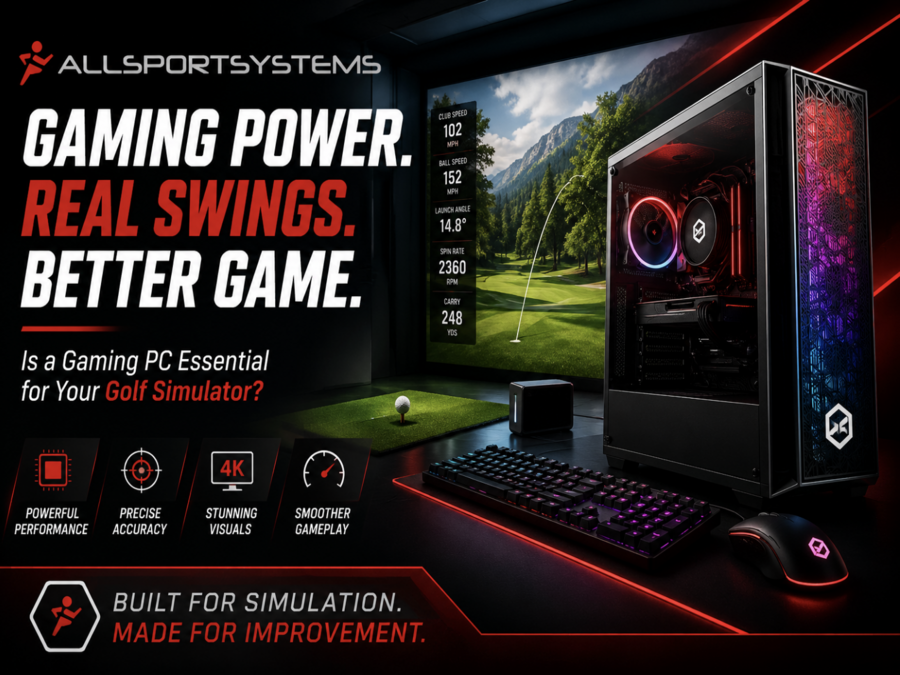
Thinking about enhancing your home golf simulator experience? Discover whether a gaming PC is essential for optimal performance and immersive play.
Understanding the Technology Behind Golf Simulators
Indoor golf simulators have evolved significantly over the years, transforming from rudimentary setups to highly sophisticated systems that offer an immersive experience. The core of any golf simulator is its ability to accurately track and replicate the nuances of a real golf game. This involves a combination of sensors, cameras, and advanced software that work in harmony to capture data such as club speed, ball speed, launch angle, and spin rate. These metrics are then processed and translated into a virtual environment, allowing players to experience realistic gameplay.
The golf swing sensor and cameras used in golf simulators are highly advanced. Some systems employ high-speed sport cameras that capture thousands of frames per second, while others use radar or infrared sensors to track the ball's trajectory and the player's swing. The data collected is fed into a computer that uses complex algorithms to simulate the ball's flight and behavior on a virtual golf course. This requires significant computational power, which is where the type of computer used becomes crucial.
The software behind these simulators plays an equally important role. Leading golf simulator software offers a range of features, from detailed course replicas to various game modes and multiplayer options. The software needs to render high-quality graphics and process large amounts of data in real-time, ensuring that the simulation remains smooth and responsive. This level of performance demands a computer with robust hardware specifications, often leading to the consideration of a golf sim gaming PC.
 High quality gaming computers for the best golf sim experience!
The Role of a Gaming PC in Golf Simulation
A golf sim gaming computer can significantly enhance the performance and experience of a home golf sim setup. These computers are designed to handle resource-intensive applications, making them ideal for running golf simulation software. Unlike standard desktops or laptops, gaming PCs come equipped with powerful processors, high-end graphics cards, and ample RAM, all of which contribute to smoother gameplay and more accurate simulations.
One of the primary roles of a gaming PC in golf simulation is to render high-quality graphics. Golf simulation software often features detailed, lifelike representations of real-world golf courses, complete with varying terrains, weather conditions, and environmental details. A gaming PC's advanced graphics card ensures that these elements are rendered smoothly and with high fidelity, providing an immersive experience that closely mirrors playing on an actual golf course.
Moreover, the processing power of a gaming PC is essential for real-time data processing. When you swing your club, the sensors and cameras capture a vast amount of data that needs to be processed instantaneously to provide immediate feedback. A gaming PC's powerful CPU ensures that this data is processed quickly and accurately, minimizing any lag or delay in the simulation. This real-time feedback is crucial for practicing and improving your golf skills, as it allows you to make adjustments and see the results immediately.
Minimum System Requirements for a Golf Simulator
When setting up an affordable golf simulator, it's essential to ensure that your computer meets the minimum system requirements specified by the simulation software. These requirements typically include a certain level of processing power, graphics capability, and RAM. Falling short of these requirements can result in a subpar experience, with issues such as lag, low frame rates, and poor graphics quality.
Most golf simulation software specifies a minimum CPU requirement, often recommending at least a quad-core processor. This ensures that the computer can handle the complex calculations and data processing required for accurate simulations.
Additionally, a minimum of 32GB of RAM is usually recommended to ensure smooth multitasking and to prevent any slowdowns during gameplay.
Graphics capability is another critical factor. The highest graphics card within your budget is also recommended. This ensures that the virtual golf courses look realistic and that the game runs smoothly without any graphical glitches. Some advanced simulators may even recommend higher-end graphics cards to fully leverage their graphical features. Keep in mind that graphics are only getting better year by year, update by update. You want something that will be easier to upgrade down the road. Get the most out of your investment with our affordable golf simulator computers!
Storage is also a consideration, as golf simulation software and the associated data can take up a significant amount of disk space. A solid-state drive (SSD) is often recommended over a traditional hard drive, as SSDs offer faster read and write speeds, leading to quicker load times and overall better performance. Meeting these minimum system requirements is crucial for ensuring an enjoyable and effective golf simulation experience.
Advantages of Using a Gaming PC for Golf Simulators
Using a gaming PC for your home golf simulator offers several advantages that can significantly enhance your overall experience. One of the most notable benefits is the superior graphics quality that a gaming PC can provide. High-end graphics cards can render detailed and realistic environments, making the virtual golf courses look almost indistinguishable from their real-world counterparts. This level of detail can greatly enhance the immersive experience, making your practice sessions more enjoyable and effective.
Another advantage is the enhanced processing power that gaming PCs offer. With powerful CPUs and ample RAM, gaming PCs can handle the complex calculations and data processing required for accurate and real-time simulations. This means that the feedback you receive, such as ball trajectory and swing analysis, is both quick and precise. The ability to receive immediate and accurate feedback is crucial for improving your golf skills, as it allows you to make necessary adjustments and see the results instantaneously.
Gaming PCs also offer greater flexibility and customization options. Unlike standard computers, gaming PCs are designed with upgradability in mind. This means you can easily upgrade components such as the graphics card, CPU, and RAM to keep up with the latest advancements in golf simulation technology. This future-proofing aspect ensures that your setup remains relevant and capable of running the latest software and updates, providing a long-term solution for your home golf simulator needs.
Alternative Options: Laptops vs. Gaming PCs
While gaming PCs offer numerous advantages for golf simulators, they are not the only option available. Golf sim gaming laptops also provide a viable alternative for those looking to set up a home golf simulator. Each option has its own set of pros and cons, and the best choice depends on your specific needs and preferences.
Laptops are generally easily portable which makes them an attractive option for getting multiple uses out of it. For instance, you can do work on it, but also take it to your golf simulator setup. Meanwhile the PC is pretty stationary and set in one place.
On the other hand, gaming PCs offer superior performance and customization options. While they may require a higher initial investment and more technical know-how to set up, the long-term benefits often outweigh these drawbacks. Gaming PCs can be easily upgraded to keep pace with advancements in technology, ensuring that your home golf simulator continues to deliver a top-notch experience. Ultimately, the choice between a gaming laptop and a gaming PC will depend on your budget, technical expertise, and the level of performance you desire from your home golf simulator.
No Golf Sim Gaming PC Option?
Although most golf simulator setups involve either a gaming pc or a gaming laptop, there is a top rated portable golf launch monitor that does not require a pc. The Garmin Approach R50 has 42,000 courses preloaded into it. Whether they are some of the most famous courses in the world, or some of your favorite local tracks!
 The Garmin R50 is Loaded with Fun!

Of course there is also a smaller budget friendly portable launch monitor from Garmin called the Garmin Approach R10. This may not have all of the courses, but it can provide a great golf simulator experience as well as some stats data points for the outdoor course and the range.


Tips for Setting Up Your Home Golf Simulator
Setting up a home golf simulator involves more than just selecting the right computer; it's about creating an environment that maximizes your simulation experience. The first step is to choose an appropriate space. Ideally, you'll need a room with enough space to swing your clubs comfortably. A room with high ceilings and ample floor space is ideal to ensure you have the freedom to move without restrictions. If space is a factor, consider out Micro Bay enclosure which is a golf simulator bay for small rooms.
An Introduction to the Micro Bay Enclosure!
Click Here to Read All About the Micro Bay Small Golf Space Golf Sim Enclosure!
Lighting is another crucial factor in setting up your simulator. While it might be tempting to set up in a dimly lit basement, adequate lighting is essential for the sensors and cameras to function correctly. Natural light can cause glare and interfere with the sensors, so it's best to use controlled artificial lighting. Position the lights in a way that reduces shadows and ensures the sensors can capture your movements accurately.
Next, consider the type of golf ball impact screen and clear picture projector you will use. A high-quality impact screen is recommended for the best visual experience. These screens are designed to withstand the impact of golf balls and provide a clear, bright image. If you're using a high quality golf sim projector, ensure it has a high resolution and brightness level to render the course details clearly. The projector's placement is also crucial; it should be positioned to avoid casting shadows or creating blind spots on the screen.
 Check Out the Best Golf Simulator Impact Screen Selection!

The flooring of your simulator room is also important. Using an inexpensive golf hitting mat that mimics the feel of real grass can enhance the realism of your practice sessions. Some setups include putting greens or different types of golf simulator turf to simulate various playing conditions. These small details can make a big difference in creating an immersive and enjoyable experience.
Lastly, make sure all the equipment, including your gaming PC, sensors, and cameras, are correctly connected and calibrated. Regular maintenance and updates to the software and hardware will ensure that your simulator continues to perform at its best. With careful planning and attention to detail, you can create a home golf simulator that offers a professional-level experience.
Cost Considerations: Is a Gaming PC Worth It?
Investing in a gaming PC for your home golf simulator can be a significant financial commitment, so it's important to weigh the costs against the benefits. High-end gaming PCs can range from several hundred to several thousand dollars, depending on the specifications and features. While this may seem like a hefty investment, the advantages of using a gaming PC can justify the cost for serious golfers looking to improve their game.
One of the main cost considerations is the longevity and upgradability of a gaming PC. Unlike laptops or standard computers, gaming PCs are designed to be easily upgraded. This means you can replace individual components, such as the graphics card or processor, as newer and more powerful options become available. This future-proofing aspect ensures that your investment remains relevant and capable of running the latest simulation software for years to come.
Another factor to consider is the overall experience and performance that a gaming PC can offer. The advanced graphics and processing power of a gaming PC can significantly enhance the realism and accuracy of your golf simulator. This can lead to more effective practice sessions and quicker improvements in your game. For those who are serious about their golf training, the benefits of a high-quality simulation experience can outweigh the initial cost.
It's also worth considering the potential alternatives and their associated costs. While laptops and standard computers may offer a lower initial investment, they often lack the performance and upgradability of gaming PCs. This can lead to a less satisfying experience and may require more frequent replacements or upgrades, ultimately costing more in the long run. By investing in a high-quality golf sim gaming PC, you can ensure that you get the most out of your home golf simulator and enjoy a premium experience that helps you achieve your golfing goals.
Final Thoughts on Gaming PCs for Golf Simulators
In conclusion, while a gaming PC is not an absolute necessity for a home golf simulator, it can significantly enhance the overall experience and performance. The advanced graphics and processing power of a gaming PC ensure smooth and realistic simulations, providing accurate feedback that is crucial for improving your golf skills. The ability to upgrade and customize a gaming PC also offers long-term value, making it a worthwhile investment for serious golfers.
Alternative options, such as gaming laptops, may offer a more affordable and user-friendly solution, but they often lack the performance and flexibility of a gaming PC. For those who prioritize a top-notch simulation experience and are willing to invest in high-quality equipment, a gaming PC is the best choice. With careful selection and setup, a gaming PC can transform your home golf simulator into a professional-level training tool that helps you take your game to the next level.
Ultimately, the decision to invest in a gaming PC for home golf simulator will depend on your specific needs, budget, and goals. By considering the advantages and weighing the costs, you can make an informed decision that ensures you get the most out of your simulation experience. Whether you choose a gaming PC or an alternative option, the key is to create a setup that provides accurate feedback, realistic gameplay, and an enjoyable experience that helps you improve your golf skills.
